CGO41.0.1
Publisher Description
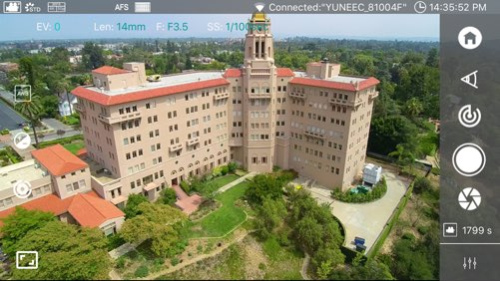
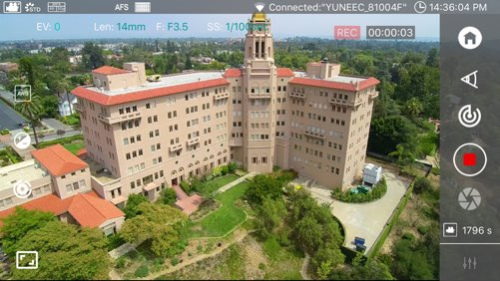
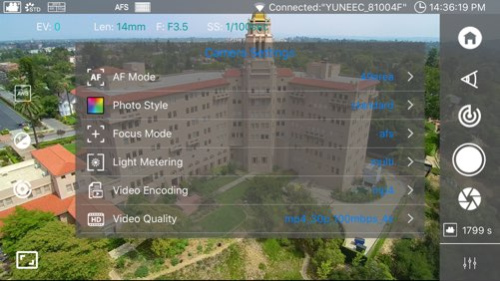
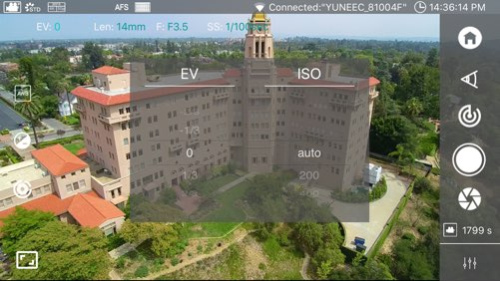
The Tornado H920 is a professional multirotor aerial photography and videography platform. Its unique design and innovative features make it possible to capture amazing photographs and video footage for a variety of uses. And thanks to nearly two decades of experience in developing and producing RC and manned aircraft, Yuneec engineers were able to deliver the long flight times, ease of operation and reliability you’ve been looking for in an aerial photography and videography solution.
This app is designed for CGO4 camera use:
-Super far range wifi link
-4K video recording
-Control of the exposure, adjust the sensitivity, white balance , shutter time, and so on
This app has been updated by Apple to display the Apple Watch app icon.
1、Add Creative Movie M mode;
2、Fixed crash issue.
About CGO4
The company that develops CGO4 is Yuneec International Co., Ltd. The latest version released by its developer is 1.0.1.
To install CGO4 on your iOS device, just click the green Continue To App button above to start the installation process. The app is listed on our website since 2016-01-12 and was downloaded 18 times. We have already checked if the download link is safe, however for your own protection we recommend that you scan the downloaded app with your antivirus. Your antivirus may detect the CGO4 as malware if the download link is broken.
How to install CGO4 on your iOS device:
- Click on the Continue To App button on our website. This will redirect you to the App Store.
- Once the CGO4 is shown in the iTunes listing of your iOS device, you can start its download and installation. Tap on the GET button to the right of the app to start downloading it.
- If you are not logged-in the iOS appstore app, you'll be prompted for your your Apple ID and/or password.
- After CGO4 is downloaded, you'll see an INSTALL button to the right. Tap on it to start the actual installation of the iOS app.
- Once installation is finished you can tap on the OPEN button to start it. Its icon will also be added to your device home screen.
Program Details
System requirements
Download information
Pricing
Version History
version 1.0.1
posted on 2016-01-12
This app has been updated by Apple to display the Apple Watch app icon.
1、Add Creative Movie M mode;
2、Fixed crash issue.
version 1.0.1
posted on 2016-01-12
Jan 12, 2016 Version 1.0.1
This app has been updated by Apple to use the latest Apple signing certificate.
1、Add Creative Movie M mode;
2、Fixed crash issue.
version 1.0.1
posted on 2016-01-12
Jan 12, 2016 Version 1.0.1
1、Add Creative Movie M mode;
2、Fixed crash issue.
version 1.0.1
posted on 2016-01-12
Jan 12, 2016 Version 1.0.1
This app has been updated by Apple to display the Apple Watch app icon.
1、Add Creative Movie M mode;
2、Fixed crash issue.
version 1.0.1
posted on 2015-12-04
version 1.0.1
posted on 1970-01-01
2016年1月12日 Version 1.0.1
1、Add Creative Movie M mode;
2、Fixed crash issue.
version 1.0.1
posted on 1970-01-01
2016年1月12日 Version 1.0.1
This app has been updated by Apple to use the latest Apple signing certificate.
1、Add Creative Movie M mode;
2、Fixed crash issue.
